FleetTime by DesignWorks
FLEETTIME SUPPORT

How can we help?

Answers follow the approved 2.9.13 manual, with the 2.9.14 driver-entry update. Match instructions to your installed version. This is searchable guide help, not conversational AI.

Still need help? Open a support ticket

Fleet records. Driver insight. Better reporting.

One operation.
One clear picture.

Bring your fleet, equipment, drivers, fuel cards and working time into one connected view. Turn everyday records into reports your management team can use.

For Windows · Local and Network editions · Designed by DesignWorks

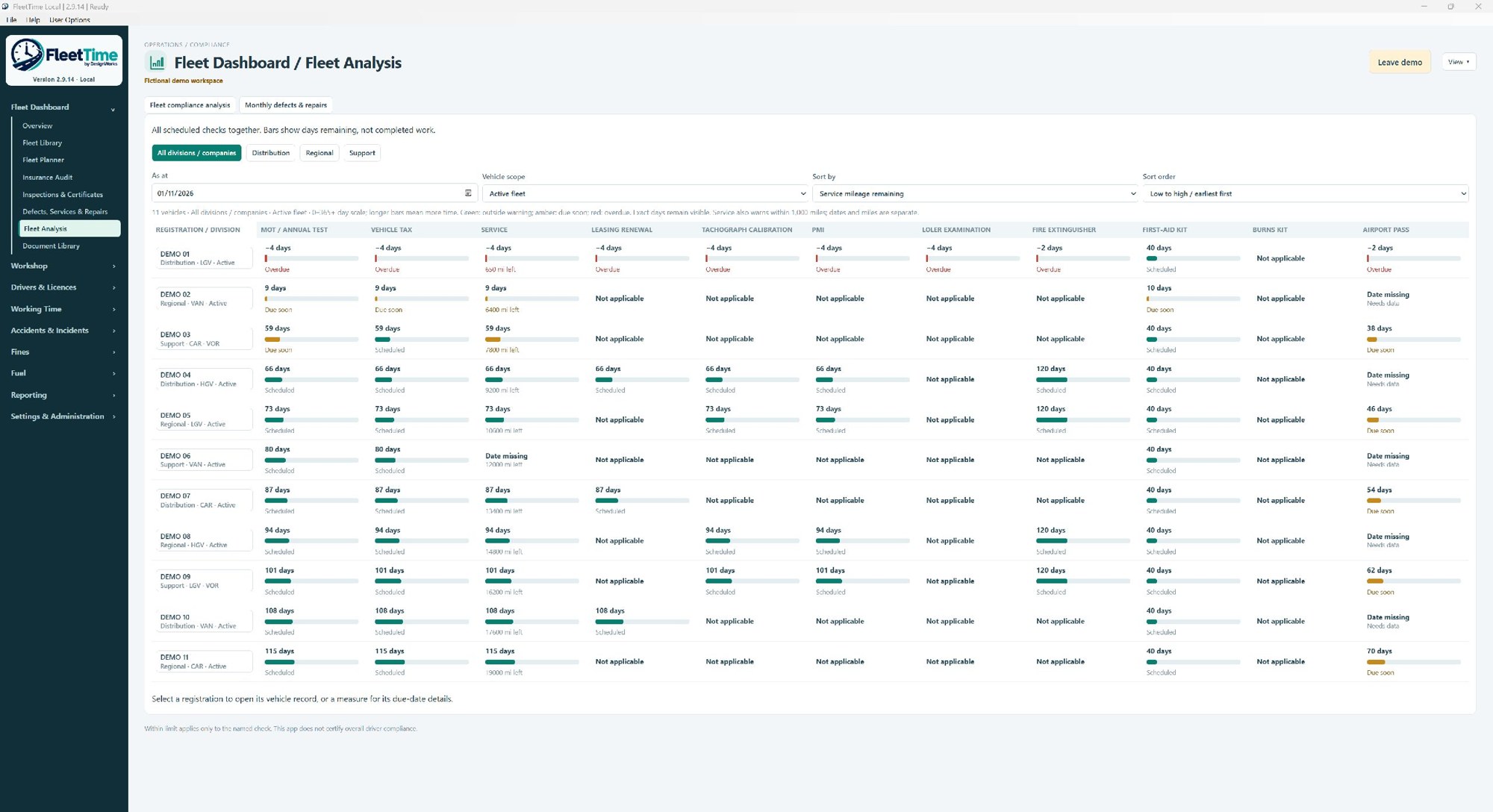
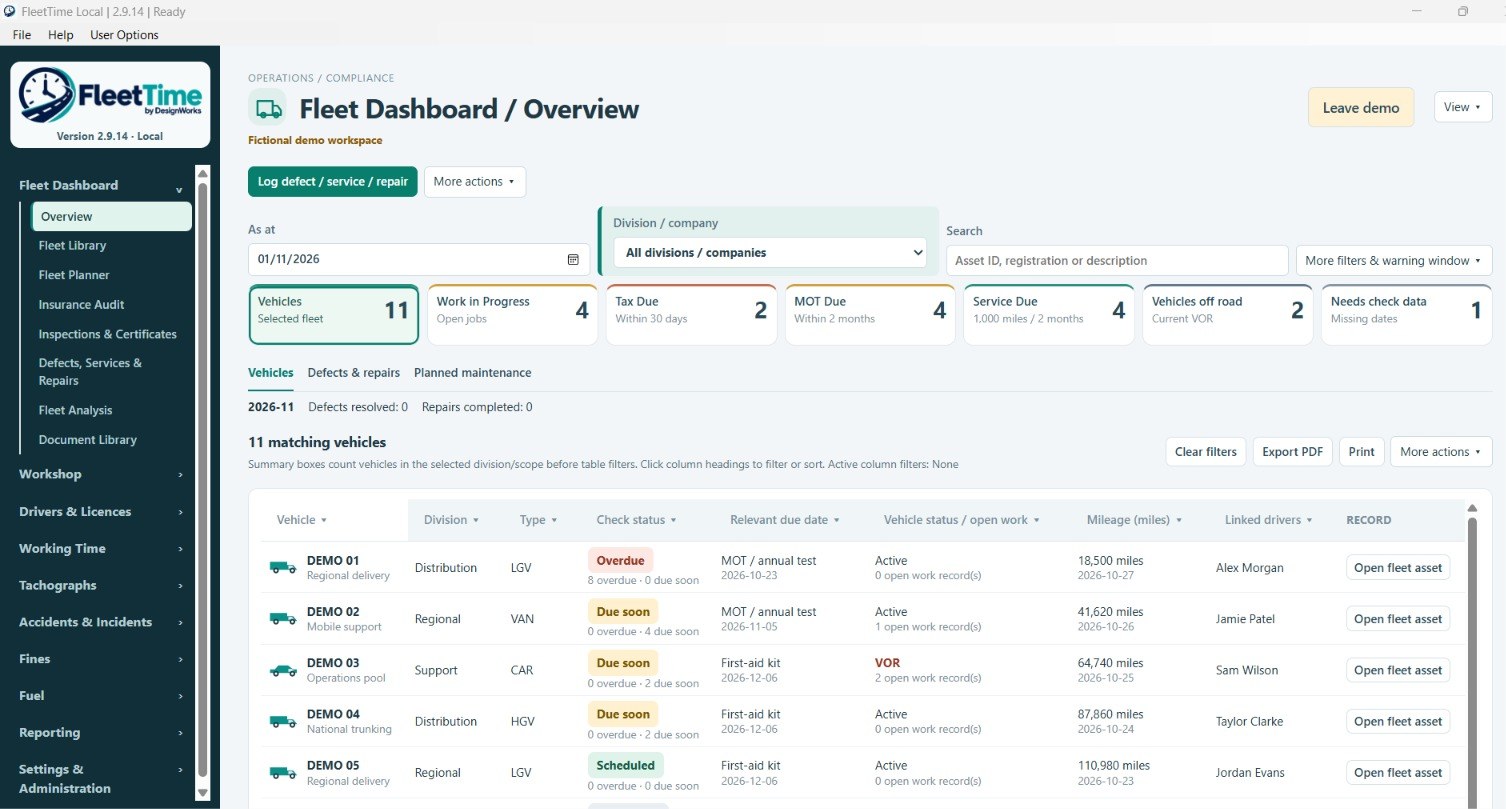
FleetTime Your daily fleet picture with fictional demonstration records
Your daily fleet picture

A populated view of vehicles, scheduled checks and open work. Fictional demo records.

Open full screenshot ↗
Fleet & equipmentFuel card analysisLicence check loggingWorking timeReports & presentations

The operation, joined up

Follow the record.
Understand the bigger picture.

A fine, fuel purchase or incident should lead you back to the driver and vehicle it relates to. FleetTime brings those links into the everyday workflow, while keeping uncertain matches available for review.

01

Fleet & equipment management

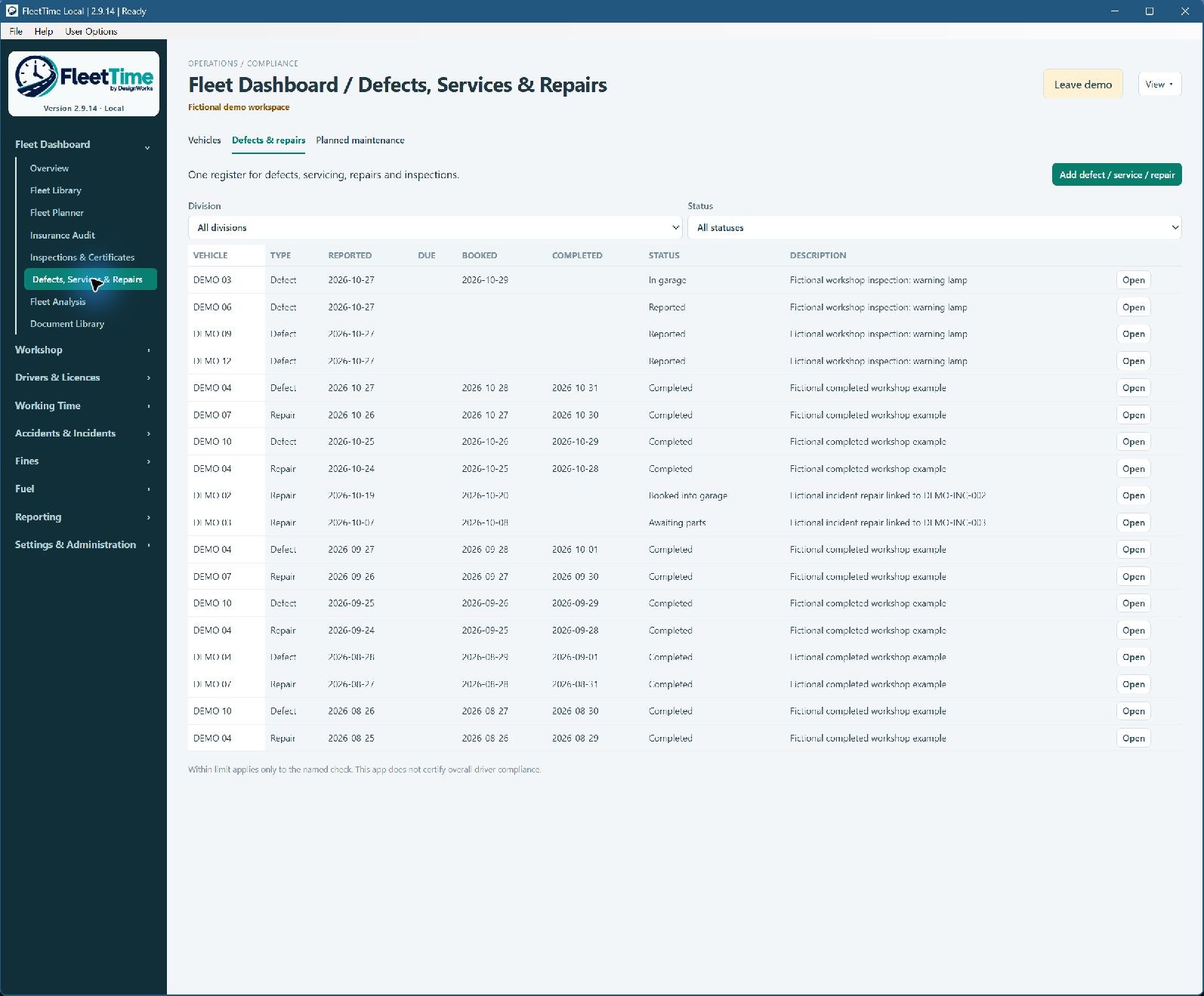
Keep vehicle and equipment records, maintenance plans, defects, repairs and VOR reasons together. Follow the history from one record.

02

Fuel card analysis

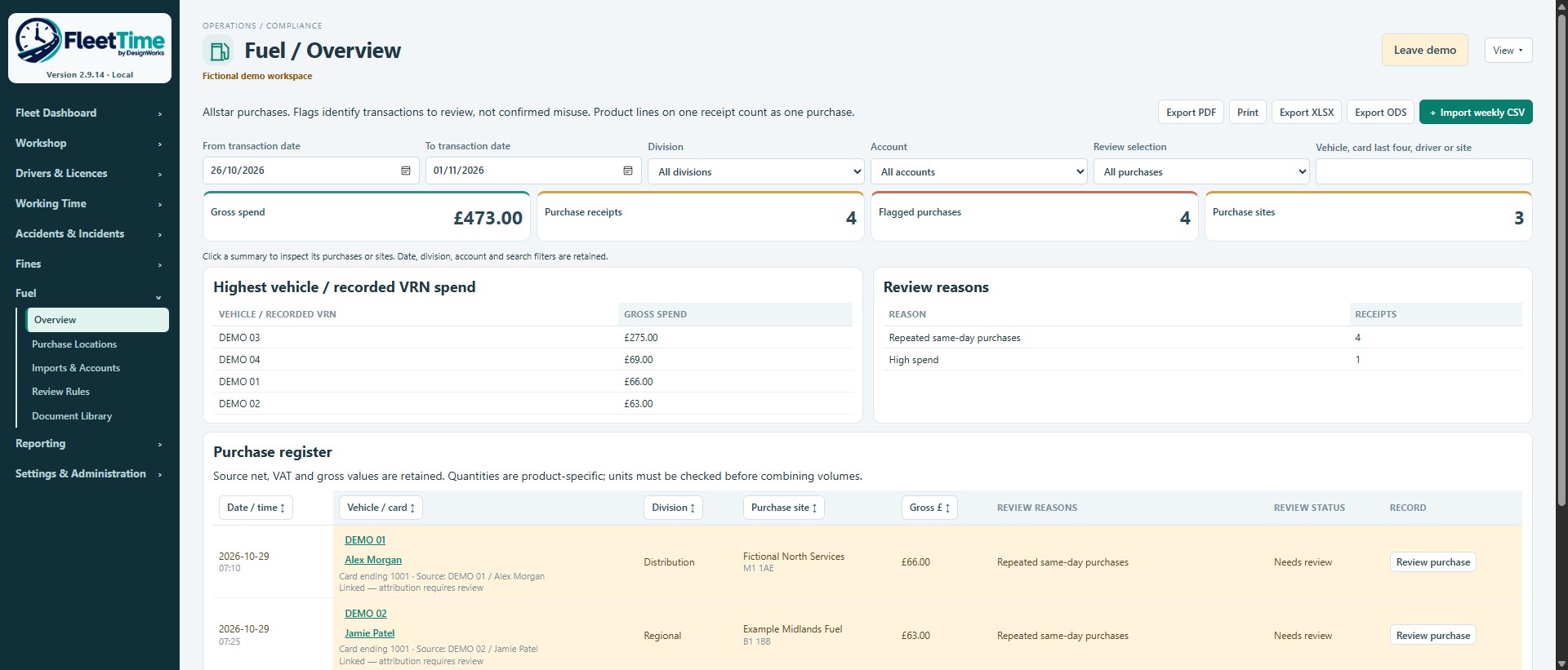
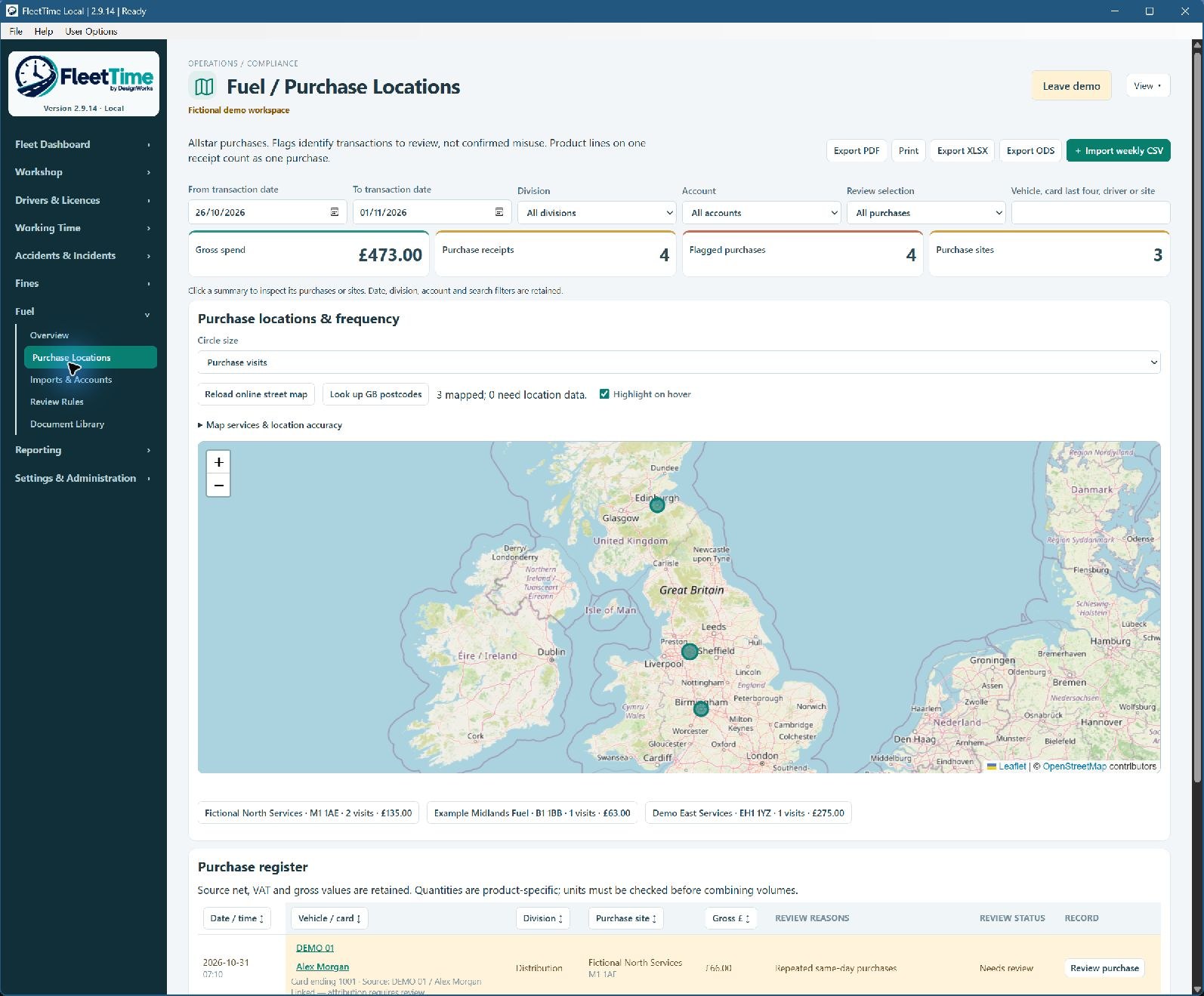
Review imported purchases by driver, vehicle, account and location. Spot repeat patterns and exceptions that deserve a closer look.

03

Driving licence & CPC logging

Record checks, evidence, points, entitlements and renewal dates. Highlight higher-risk records and keep the follow-up visible. This is check logging, not an automatic DVLA verification service.

04

Working time

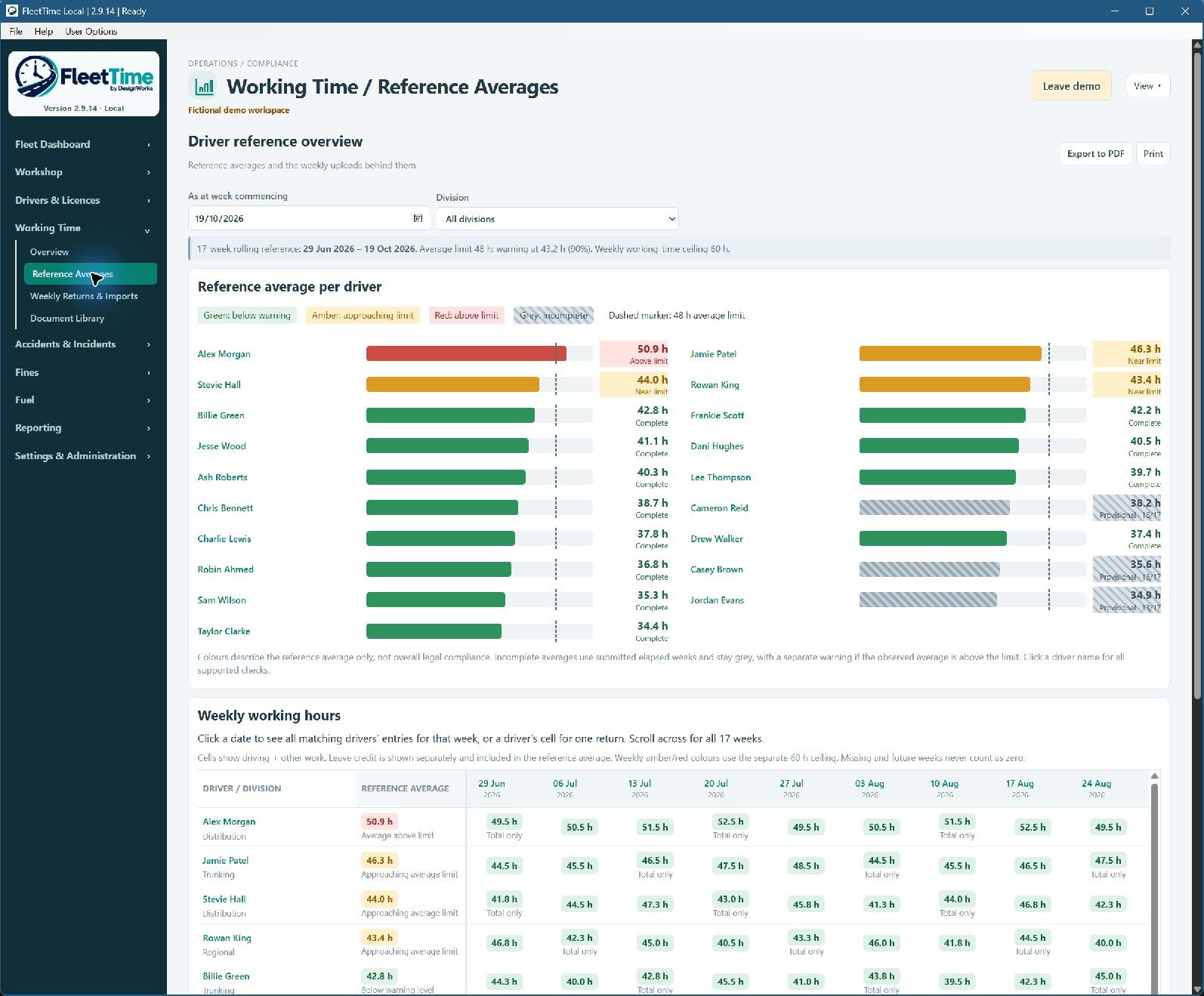
Review weekly returns and reference averages, including missing data. Compact colour-coded views help you see where to focus.

05

Fines & accidents

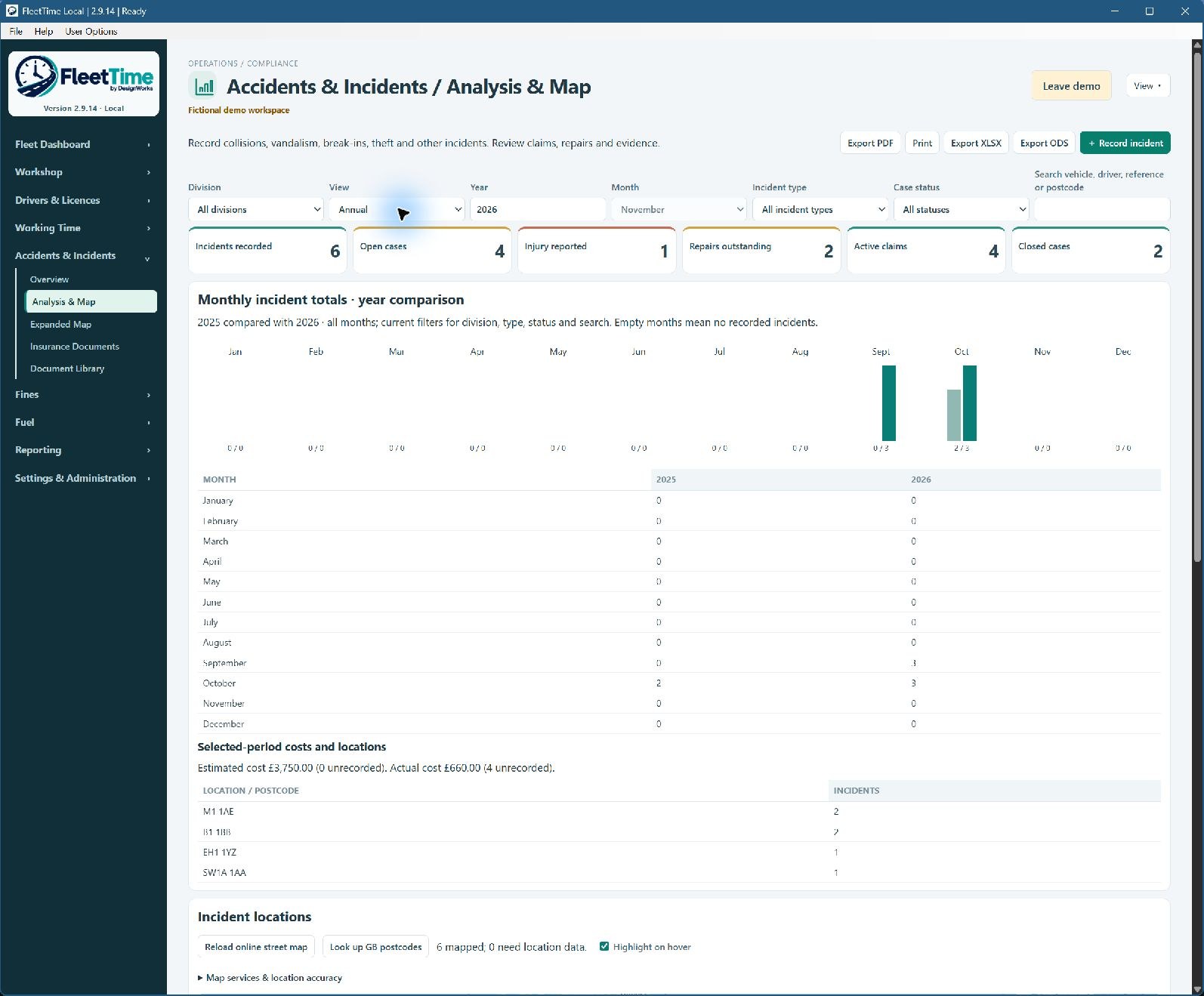
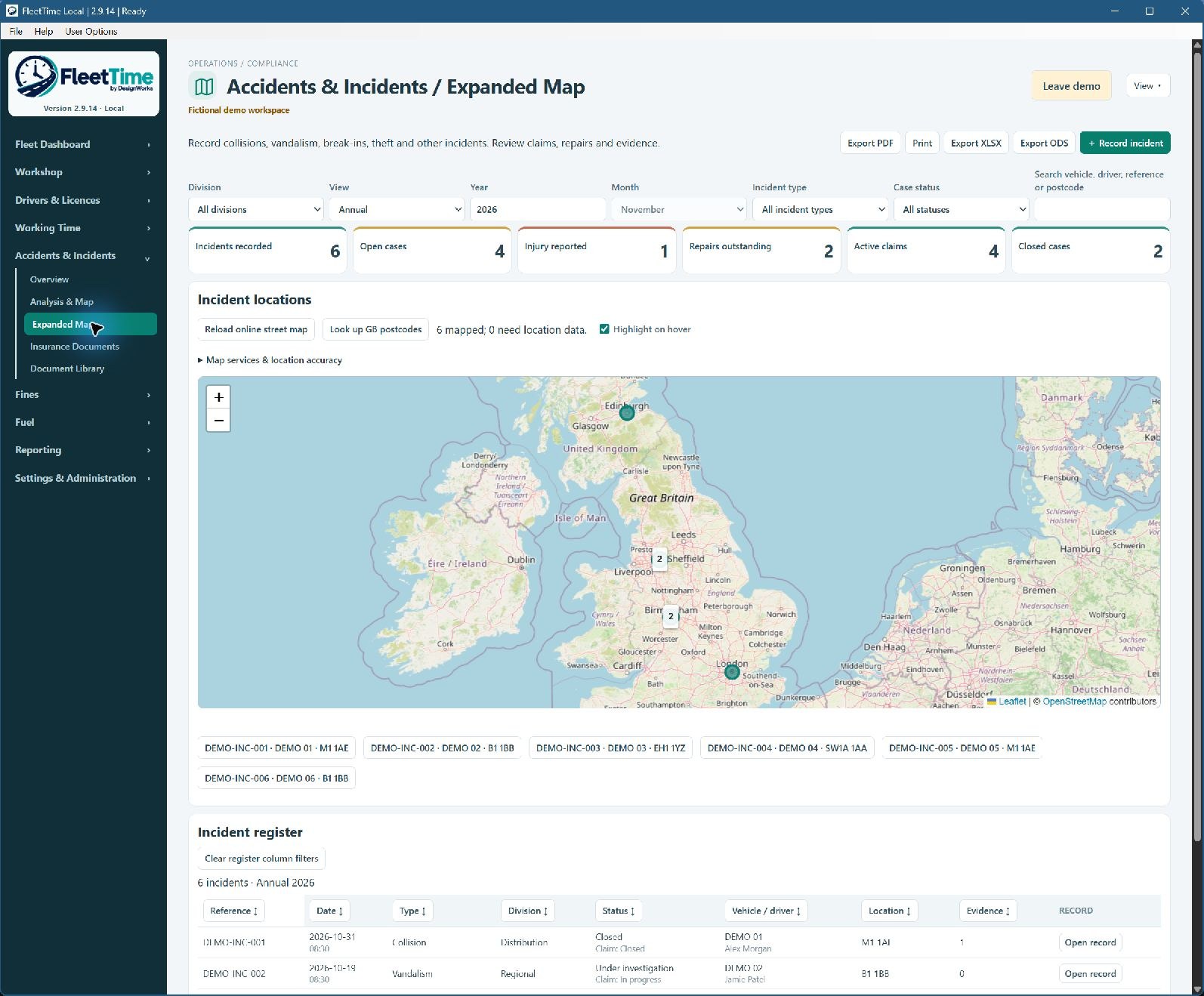
Connect cases to the relevant drivers and vehicles. Review costs, repeat records, locations and actions with supporting maps where location data is available.

06

Workshop & maintenance

Plan work, record equipment movements and keep VOR reasons clear. Add documents and photographs where needed.

A reporting advantage

From everyday records
to the management meeting.

Choose your dates, all divisions or one division, and the sections you need. Add your company logo, then present the story with graphical summaries and supporting detail.

PDFPowerPoint · PPTXExcel · XLSXOpenDocument · ODP / ODSCSV

Show trends, missing working-time returns, repeated fines, higher-risk licence records and equipment VOR reasons. Keep the evidence behind the summary.

Compatible file formats for Microsoft Office and other office suites. Layout and feature support can vary between applications.

FleetTime Working Time reference averages with fictional demonstration records
Working Time reference averages

Compare reference averages and see the completeness of the weekly records behind them. Fictional demo data; supports review and does not certify overall compliance.

Open full screenshot ↗

Built for real working days

A clearer workflow,
from desk to workshop.

01 / RECORD

Capture the detail

Log work, attach supporting files and keep linked records together.

02 / REVIEW

See what needs attention

Use compact summaries, filters and maps to follow exceptions and outstanding actions.

03 / REPORT

Share a useful picture

Build a branded report for the period and divisions you want to review.

Choose your setup

One desk or a shared operation.

01

FleetTime Local

For a workspace on one Windows computer. Keep operational records and managed uploaded files together, with backup and export tools.

02

FleetTime Network

For shared working through a configured network workspace. Accounts and permissions help control access to the operation.

03

Discuss your requirements

Tell us how many people need access and how your divisions work. Release availability, licensing and pricing will be confirmed before purchase.

Records you can manage responsibly

Support for your
data protection responsibilities.

FleetTime includes accounts and permissions, protected workspace storage, backup options and administrative privacy tools to help you manage personal information.

Your organisation still needs appropriate policies, lawful bases, retention decisions and secure deployment. Features do not amount to a GDPR compliance certificate.

Help when it matters

Practical support.
A clearer recovery path.

01

Start with a clear workspace

Set up your users, divisions and records. Use fictional demonstration data in a separate test workspace to explore the workflow.

02

Keep a complete backup

Include the records and managed uploaded files. Store backups separately and test that you can restore them.

03

Recover a separate copy

The recovery tool checks a supported backup and recovers to a new folder, showing progress. A usable backup and any required passphrase are essential.

Do I need Microsoft Office?

No. FleetTime offers PDF and OpenDocument formats alongside PowerPoint-compatible and Excel-compatible exports. Check the formats supported by your chosen office program.

Can I report on just one division?

Yes. Reporting supports date ranges, division selection and a choice of report sections.

Does FleetTime check licences directly with the DVLA?

The current functionality records licence checks and supporting evidence. It must not be treated as an automatic DVLA verification service.

Is tachograph integration available?

An optional tachograph section is being developed. Provider exports are under evaluation; Novadata imports, DDD parsing and tachograph analysis are not currently available.

Where can I buy FleetTime?

Online sales are being prepared. Release availability, licence terms and pricing will be confirmed before checkout opens.

Let’s talk FleetTime

Tell us about your operation.

Whether you manage a mixed fleet, a workshop or several divisions, we can discuss the setup and reporting you need.

    We use your details to respond to your enquiry. Please do not include driver records, licence scans or other sensitive operational data.